Give it a goal. It builds, tests in a real browser, and fixes until it’s done.
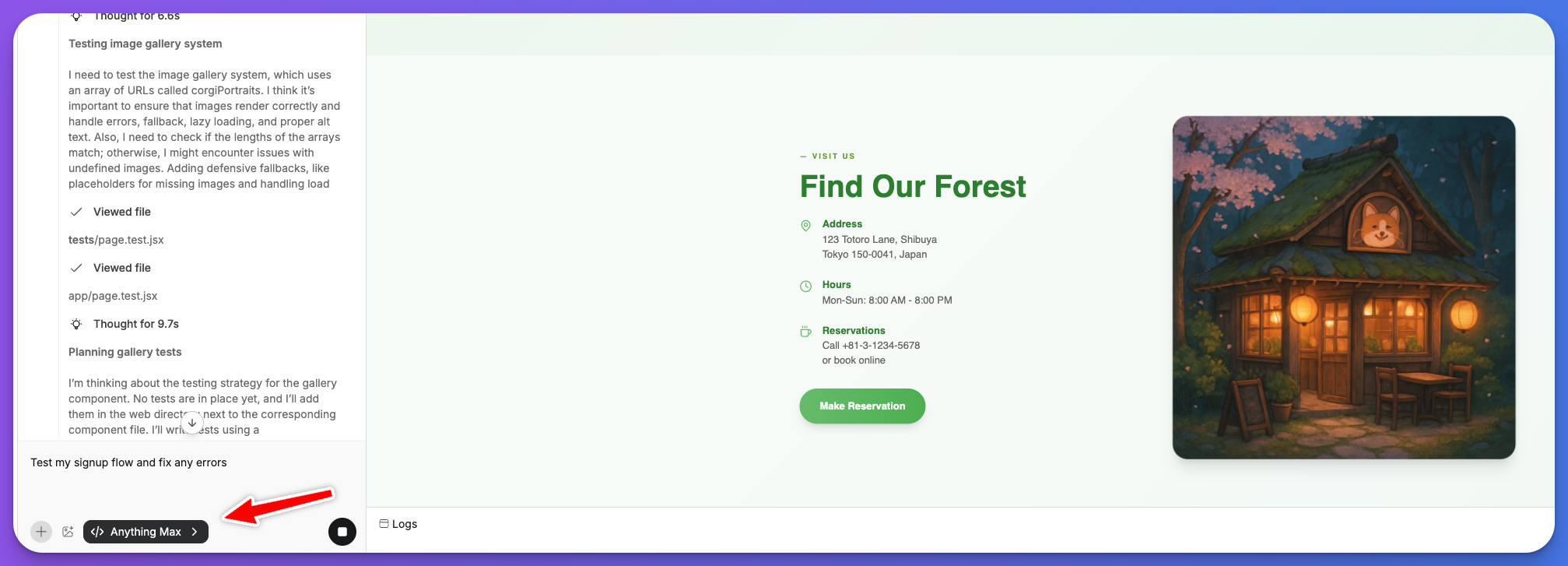
Max builds, tests, and fixes your app on its own. Give it a goal and it writes code, opens your app in a real browser, uses it like a person, and keeps going until the task is complete.
Normally you prompt the agent, check the result, test it yourself, then prompt again. Max takes that loop off your plate. It generates, tries the app in a browser, spots what’s wrong, and fixes it on its own.Use Max when:
Your task needs the agent to actually try the app. Clicking through flows, filling forms, testing interactions.
You’d rather describe a goal and walk away than go back and forth.
You’re about to launch and want to test real user flows before going live.
The bug is hard to describe but you know something’s off.
The tradeoff is speed. Max takes longer and uses more credits than other modes because it’s running a real browser. For quick layout changes or copy edits, Thinking or Fast mode is better. When seeing and using the app matters, Max is worth the wait.
If you’d need to test it yourself to know it works, Max should test it for you.
Anything already lets you build without coding. Max goes further: it builds for you.The other agent modes write and edit code. Max does that, and it also:
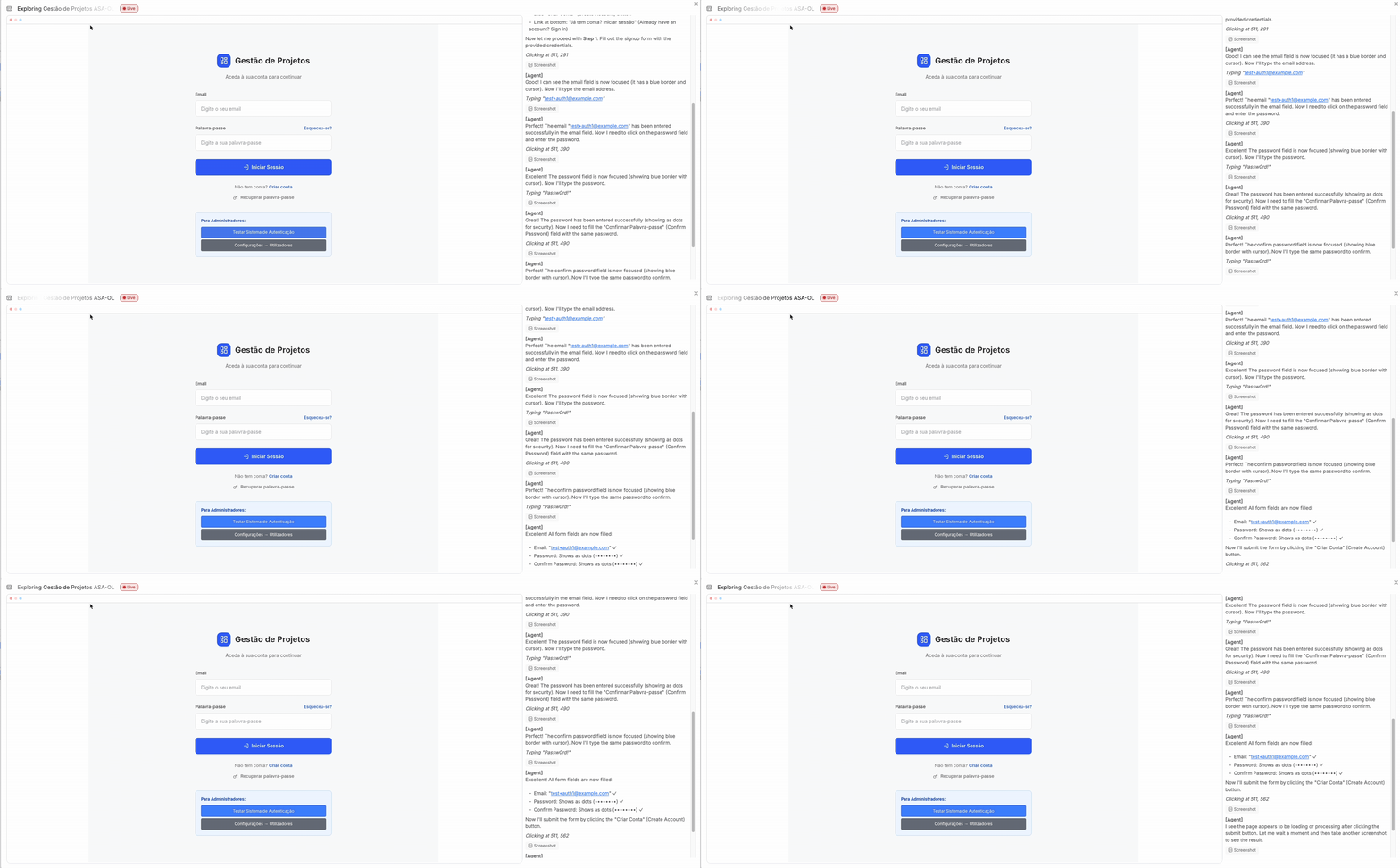
Runs your app in a real browser. Sees it the way a user does. Scrolls, clicks, types, logs in, uploads, checks out. If something looks broken, it notices.
Tests your mobile app on a simulated iOS device. Taps, swipes, scrolls, and verifies that native interactions work the way they should.
Runs your backend logic to check it actually works, not just that the code looks right.
Works in the background on larger goals while you do other things.
Goal → try the app → spot an issue → write a fix → try again. It sometimes runs 100+ steps over 30 minutes. Usually faster.
Expand the steps panel to see what Max is doing in the browser. Every click, page load, and fix it tries. Useful when you want to understand what it found or check it’s on the right track.
More context upfront helps Max move faster. Include what the feature should do, where it lives in the app, and edge cases you care about.
There's a bug where users sometimes get logged out on refresh.I think it's related to the auth token. Find it and fix it.
Build a teams feature. Invite flow, team settings page, role management.Make sure invites work via email.
Test the checkout flow end to end. Stripe payments should go through,error states should show correctly, and the confirmation page should load.
You don’t need to be precise though. If your prompt is vague, Max explores your app to figure out what you mean. It just takes a few extra steps to get there.
Run multiple Max instances at once. Each one works on a separate task independently.Start a Max task, then open a New Thread to kick off another. Since each task takes time, scope each agent to a focused goal and let them run side by side.
One agent fixing auth bugs while another builds the settings page
Three agents QA’ing signup, payments, and invites at the same time
One building a feature while another tests an existing one
A user’s Stripe checkout was failing intermittently. Max walked through the payment flow step by step, found timing issues with how payments were loading, and fixed it. 100% success rate after.Another app had a double-charge bug on mobile. Max emulated fast thumb taps to reproduce it, then added protections so the same payment can’t go through twice. Zero duplicates.One user asked Max to build a full teams and invites feature from scratch. It built the invite flow, team settings, email sending, and tests. Four parallel agents tested signup, CSV import, payments, and invites in 20 minutes.
Available to all $200+/mo subscribers. Each Max task uses credits based on job size.
Was this page helpful?
{"docsConfig":{"theme":"mint","$schema":"https://mintlify.com/docs.json","name":"Anything","colors":{"primary":"#7C89FF","light":"#6171FF","dark":"#4C5BD2"},"logo":{"light":"https://mintcdn.com/create/dTnR71ZAhTBEBJUz/images/Anything_Logo_Dark.svg?fit=max\u0026auto=format\u0026n=dTnR71ZAhTBEBJUz\u0026q=85\u0026s=bf2d9a8cced064ef93b54bdf8fdadd0e","dark":"https://mintcdn.com/create/dTnR71ZAhTBEBJUz/images/Anything_Logo_Dark.svg?fit=max\u0026auto=format\u0026n=dTnR71ZAhTBEBJUz\u0026q=85\u0026s=bf2d9a8cced064ef93b54bdf8fdadd0e"},"favicon":"https://mintcdn.com/create/me9JHQwlMV3k9T56/images/favicondark.png?fit=max\u0026auto=format\u0026n=me9JHQwlMV3k9T56\u0026q=85\u0026s=1fe5ea392493d747c6f8f6353f8dc1a2","appearance":{"default":"light"},"navbar":{"links":[{"href":"https://x.com/anything","label":"Updates"}],"primary":{"type":"button","label":"Anything","href":"https://www.anything.com/login"}},"footer":{"socials":{"x":"https://x.com/anything","youtube":"https://www.youtube.com/@anythinguniversity","linkedin":"https://www.linkedin.com/company/anythingai"}},"seo":{"indexing":"all"},"fonts":{"heading":{"family":"Instrument Sans"},"body":{"family":"Inter"}},"contextual":{"options":["copy","view","chatgpt","claude"],"display":"header"},"metadata":{"timestamp":false},"styling":{"latex":false},"navigation":{"global":{"anchors":[{"anchor":"Product updates","icon":"x-twitter","href":"https://x.com/anything"}]},"pages":[]}},"deployment":{"deploymentMetadataValue":{"subdomain":"create","hasAudioNarration":false,"actualSubdomain":"create","customDomains":["www.anything.com"],"gitSource":{"type":"github","owner":"create-inc","repo":"docs","deployBranch":"main","contentDirectory":"","isPrivate":true,"mountPath":"","label":""},"chroma":{"liveDeploymentHistoryId":"6abaaf89cc2a7b2cfc9ef366","collectionId":"c5c97f2d-6d31-4ff6-b0d1-b1b77d8b65e9","schemaVersion":"v3","latestBuiltDeploymentHistoryId":"6abaaf89cc2a7b2cfc9ef366"},"feedback":{"thumbs":true,"edits":false,"issues":false},"entitlements":{"AI_CHAT":{"status":"ENABLED"},"WEB_MCP":{"status":"ENABLED"},"NARRATION":{"status":"ENABLED"}},"buildId":"6abaaf89cc2a7b2cfc9ef366","clientVersion":"0.0.4054","searchFilterCounts":[{"language":"default","tag":"API / CLI (for agents)","count":47},{"language":"default","tag":"Endpoints","count":46},{"language":"default","tag":"Guides","count":44},{"language":"default","tag":"Apps","count":11},{"language":"default","tag":"Projects","count":11},{"language":"default","tag":"Databases","count":7},{"language":"default","tag":"Launch","count":6},{"language":"default","tag":"Builder","count":5},{"language":"default","tag":"Get Started","count":5},{"language":"default","tag":"Account","count":4}]},"assistantConfig":{"deflection":{"enabled":true,"email":"hello@anything.com","showHelpButton":true}},"basePath":"/docs","hasChatPermissions":true,"hasWebMcpPermissions":true,"toggles":[],"googleFontsInlined":true},"customCss":[],"page":{"pagePath":"builder/max","slug":"/builder/max","pageMetadata":{"mode":"wide","title":"Max","description":"Give it a goal. It builds, tests in a real browser, and fixes until it's done.","keywords":["Max","Anything Max","autonomous agent","browser agent","auto fix","autonomous testing","Max plan","agentic","build and test","self-fixing"],"href":"/builder/max"},"description":{"compiledSource":"\"use strict\";\nconst {jsx: _jsx} = arguments[0];\nconst {useMDXComponents: _provideComponents} = arguments[0];\nfunction _createMdxContent(props) {\n const _components = {\n p: \"p\",\n ..._provideComponents(),\n ...props.components\n };\n return _jsx(_components.p, {\n children: \"Give it a goal. It builds, tests in a real browser, and fixes until it’s done.\"\n });\n}\nfunction MDXContent(props = {}) {\n const {wrapper: MDXLayout} = {\n ..._provideComponents(),\n ...props.components\n };\n return MDXLayout ? _jsx(MDXLayout, {\n ...props,\n children: _jsx(_createMdxContent, {\n ...props\n })\n }) : _createMdxContent(props);\n}\nreturn {\n default: MDXContent\n};\n","frontmatter":{},"scope":{}},"pageType":"default","mdx":{"mdxSource":{"compiledSource":"\"use strict\";const{Fragment:_Fragment,jsx:_jsx,jsxs:_jsxs}=arguments[0];const{useMDXComponents:_provideComponents}=arguments[0];function _createMdxContent(props){const _components={a:`a`,code:`code`,li:`li`,ol:`ol`,p:`p`,pre:`pre`,span:`span`,strong:`strong`,ul:`ul`,..._provideComponents(),...props.components},{CodeBlock,Heading,OptimizedFrame,OptimizedImage,Tip}=_components;if(!CodeBlock)_missingMdxReference(`CodeBlock`,true);if(!Heading)_missingMdxReference(`Heading`,true);if(!OptimizedFrame)_missingMdxReference(`OptimizedFrame`,true);if(!OptimizedImage)_missingMdxReference(`OptimizedImage`,true);if(!Tip)_missingMdxReference(`Tip`,true);return _jsxs(_Fragment,{children:[_jsx(_components.p,{children:`Max builds, tests, and fixes your app on its own. Give it a goal and it writes code, opens your app in a real browser, uses it like a person, and keeps going until the task is complete.`}),`\n`,_jsx(`div`,{style:{position:`relative`,paddingBottom:`56.25%`,height:0},children:_jsx(OptimizedFrame,{src:`https://www.loom.com/embed/45b0369945df4fd286a7011bc58eeb15?sid=9999c611-6a42-4880-9198-2b01a5e39989`,frameBorder:`0`,webkitAllowFullScreen:true,mozAllowFullScreen:true,allowFullScreen:true,style:{position:`absolute`,top:0,left:0,width:`100%`,height:`100%`}})}),`\n`,_jsx(Heading,{level:`2`,id:`when-to-use-max`,children:`When to use Max`}),`\n`,_jsx(_components.p,{children:`Normally you prompt the agent, check the result, test it yourself, then prompt again. Max takes that loop off your plate. It generates, tries the app in a browser, spots what’s wrong, and fixes it on its own.`}),`\n`,_jsx(_components.p,{children:`Use Max when:`}),`\n`,_jsxs(_components.ul,{children:[`\n`,_jsx(_components.li,{children:`Your task needs the agent to actually try the app. Clicking through flows, filling forms, testing interactions.`}),`\n`,_jsx(_components.li,{children:`You’d rather describe a goal and walk away than go back and forth.`}),`\n`,_jsx(_components.li,{children:`You’re about to launch and want to test real user flows before going live.`}),`\n`,_jsx(_components.li,{children:`The bug is hard to describe but you know something’s off.`}),`\n`]}),`\n`,_jsxs(_components.p,{children:[`The tradeoff is speed. Max takes longer and uses more credits than `,_jsx(_components.a,{href:`/builder/agent`,children:`other modes`}),` because it’s running a real browser. For quick layout changes or copy edits, Thinking or Fast mode is better. When seeing and using the app matters, Max is worth the wait.`]}),`\n`,_jsx(Tip,{children:_jsx(_components.p,{children:`If you’d need to test it yourself to know it works, Max should test it for you.`})}),`\n`,_jsx(Heading,{level:`2`,id:`how-it-works`,children:`How it works`}),`\n`,_jsx(_components.p,{children:`Anything already lets you build without coding. Max goes further: it builds for you.`}),`\n`,_jsxs(_components.p,{children:[`The `,_jsx(_components.a,{href:`/builder/agent`,children:`other agent modes`}),` write and edit code. Max does that, and it also:`]}),`\n`,_jsxs(_components.ul,{children:[`\n`,_jsx(_components.li,{children:`Runs your app in a real browser. Sees it the way a user does. Scrolls, clicks, types, logs in, uploads, checks out. If something looks broken, it notices.`}),`\n`,_jsxs(_components.li,{children:[`Tests your `,_jsx(_components.a,{href:`/apps/mobile`,children:`mobile app`}),` on a simulated iOS device. Taps, swipes, scrolls, and verifies that native interactions work the way they should.`]}),`\n`,_jsxs(_components.li,{children:[`Runs your `,_jsx(_components.a,{href:`/apps/backend`,children:`backend logic`}),` to check it actually works, not just that the code looks right.`]}),`\n`,_jsx(_components.li,{children:`Works in the background on larger goals while you do other things.`}),`\n`]}),`\n`,_jsx(_components.p,{children:`Goal → try the app → spot an issue → write a fix → try again. It sometimes runs 100+ steps over 30 minutes. Usually faster.`}),`\n`,_jsx(OptimizedImage,{src:`https://mintcdn.com/create/guLD4ncx0TAtPC4P/images/maxinaction.gif?s=8f7145098bef88e8e574e797536bbab1`,alt:`Max in action`,\"data-og-width\":`2049`,width:`2049`,\"data-og-height\":`849`,height:`849`,\"data-path\":`images/maxinaction.gif`,\"data-optimize\":`true`,\"data-opv\":`3`}),`\n`,_jsx(Heading,{level:`2`,id:`getting-started`,children:`Getting started`}),`\n`,_jsxs(_components.p,{children:[_jsx(_components.strong,{children:`Requirements`}),`: Anything subscription ($200+/month) + credits for Max tasks.`]}),`\n`,_jsxs(_components.ol,{children:[`\n`,_jsxs(_components.li,{children:[`Select `,_jsx(_components.strong,{children:`Max`}),` from the mode switcher in an active project`]}),`\n`,_jsxs(_components.li,{children:[`Describe your goal in plain language:`,`\n`,_jsxs(_components.ul,{children:[`\n`,_jsx(_components.li,{children:`“Add swipe gestures to navigate between screens”`}),`\n`,_jsx(_components.li,{children:`“Fix checkout so it stops failing on mobile”`}),`\n`,_jsx(_components.li,{children:`“Test the full signup flow and fix anything that breaks”`}),`\n`]}),`\n`]}),`\n`,_jsx(_components.li,{children:`Launch Max and let it work`}),`\n`,_jsx(_components.li,{children:`Check back when it reports complete`}),`\n`]}),`\n`,_jsx(OptimizedImage,{src:`https://mintcdn.com/create/rVb8nnME-i8d8DgI/images/testmax.png?fit=max\u0026auto=format\u0026n=rVb8nnME-i8d8DgI\u0026q=85\u0026s=32adacaf50769a95212a2564c937f782`,alt:`Max in action`,\"data-og-width\":`2015`,width:`2015`,\"data-og-height\":`727`,height:`727`,\"data-path\":`images/testmax.png`,\"data-optimize\":`true`,\"data-opv\":`3`,srcset:`https://mintcdn.com/create/rVb8nnME-i8d8DgI/images/testmax.png?w=280\u0026fit=max\u0026auto=format\u0026n=rVb8nnME-i8d8DgI\u0026q=85\u0026s=84adaa33cd24cb8120ce57e54b4faa41 280w, https://mintcdn.com/create/rVb8nnME-i8d8DgI/images/testmax.png?w=560\u0026fit=max\u0026auto=format\u0026n=rVb8nnME-i8d8DgI\u0026q=85\u0026s=9547d14495165da08bfcec6d1c02dec8 560w, https://mintcdn.com/create/rVb8nnME-i8d8DgI/images/testmax.png?w=840\u0026fit=max\u0026auto=format\u0026n=rVb8nnME-i8d8DgI\u0026q=85\u0026s=943a9750582df8556eb6800936cb1da8 840w, https://mintcdn.com/create/rVb8nnME-i8d8DgI/images/testmax.png?w=1100\u0026fit=max\u0026auto=format\u0026n=rVb8nnME-i8d8DgI\u0026q=85\u0026s=3513fd9fc6cbb04d3c2ba850960b259d 1100w, https://mintcdn.com/create/rVb8nnME-i8d8DgI/images/testmax.png?w=1650\u0026fit=max\u0026auto=format\u0026n=rVb8nnME-i8d8DgI\u0026q=85\u0026s=a788cb443a0cbc096df5a58eb26b9f3f 1650w, https://mintcdn.com/create/rVb8nnME-i8d8DgI/images/testmax.png?w=2500\u0026fit=max\u0026auto=format\u0026n=rVb8nnME-i8d8DgI\u0026q=85\u0026s=d6f99bb41702a4bff5f2e1cafde9411d 2500w`}),`\n`,_jsx(Heading,{level:`2`,id:`watching-max-work`,children:`Watching Max work`}),`\n`,_jsx(_components.p,{children:`Expand the steps panel to see what Max is doing in the browser. Every click, page load, and fix it tries. Useful when you want to understand what it found or check it’s on the right track.`}),`\n`,_jsx(Heading,{level:`2`,id:`writing-good-goals`,children:`Writing good goals`}),`\n`,_jsx(_components.p,{children:`More context upfront helps Max move faster. Include what the feature should do, where it lives in the app, and edge cases you care about.`}),`\n`,_jsx(CodeBlock,{numberOfLines:`3`,language:`text`,children:_jsx(_components.pre,{className:`shiki shiki-themes github-light-default dark-plus`,style:{backgroundColor:`#ffffff`,\"--shiki-dark-bg\":`#0B0C0E`,color:`#1f2328`,\"--shiki-dark\":`#D4D4D4`},language:`text`,children:_jsxs(_components.code,{language:`text`,numberOfLines:`3`,children:[_jsx(_components.span,{className:`line`,children:_jsx(_components.span,{children:`There's a bug where users sometimes get logged out on refresh.`})}),`\n`,_jsx(_components.span,{className:`line`,children:_jsx(_components.span,{children:`I think it's related to the auth token. Find it and fix it.`})}),`\n`,_jsx(_components.span,{className:`line`,children:_jsx(_components.span,{})})]})})}),`\n`,_jsx(CodeBlock,{numberOfLines:`3`,language:`text`,children:_jsx(_components.pre,{className:`shiki shiki-themes github-light-default dark-plus`,style:{backgroundColor:`#ffffff`,\"--shiki-dark-bg\":`#0B0C0E`,color:`#1f2328`,\"--shiki-dark\":`#D4D4D4`},language:`text`,children:_jsxs(_components.code,{language:`text`,numberOfLines:`3`,children:[_jsx(_components.span,{className:`line`,children:_jsx(_components.span,{children:`Build a teams feature. Invite flow, team settings page, role management.`})}),`\n`,_jsx(_components.span,{className:`line`,children:_jsx(_components.span,{children:`Make sure invites work via email.`})}),`\n`,_jsx(_components.span,{className:`line`,children:_jsx(_components.span,{})})]})})}),`\n`,_jsx(CodeBlock,{numberOfLines:`3`,language:`text`,children:_jsx(_components.pre,{className:`shiki shiki-themes github-light-default dark-plus`,style:{backgroundColor:`#ffffff`,\"--shiki-dark-bg\":`#0B0C0E`,color:`#1f2328`,\"--shiki-dark\":`#D4D4D4`},language:`text`,children:_jsxs(_components.code,{language:`text`,numberOfLines:`3`,children:[_jsx(_components.span,{className:`line`,children:_jsx(_components.span,{children:`Test the checkout flow end to end. Stripe payments should go through,`})}),`\n`,_jsx(_components.span,{className:`line`,children:_jsx(_components.span,{children:`error states should show correctly, and the confirmation page should load.`})}),`\n`,_jsx(_components.span,{className:`line`,children:_jsx(_components.span,{})})]})})}),`\n`,_jsx(_components.p,{children:`You don’t need to be precise though. If your prompt is vague, Max explores your app to figure out what you mean. It just takes a few extra steps to get there.`}),`\n`,_jsx(Heading,{level:`2`,id:`parallel-agents`,children:`Parallel agents`}),`\n`,_jsx(_components.p,{children:`Run multiple Max instances at once. Each one works on a separate task independently.`}),`\n`,_jsxs(_components.p,{children:[`Start a Max task, then open a `,_jsx(_components.strong,{children:`New Thread`}),` to kick off another. Since each task takes time, scope each agent to a focused goal and let them run side by side.`]}),`\n`,_jsx(`div`,{style:{position:`relative`,paddingBottom:`56.25%`,height:0},children:_jsx(OptimizedFrame,{src:`https://www.loom.com/embed/ea5cfb993eac416c91472c1d7e5c8866?sid=402e76a2-a170-4bcb-9767-c20b0a4339f8`,frameBorder:`0`,webkitAllowFullScreen:true,mozAllowFullScreen:true,allowFullScreen:true,style:{position:`absolute`,top:0,left:0,width:`100%`,height:`100%`}})}),`\n`,_jsxs(_components.ul,{children:[`\n`,_jsx(_components.li,{children:`One agent fixing auth bugs while another builds the settings page`}),`\n`,_jsx(_components.li,{children:`Three agents QA’ing signup, payments, and invites at the same time`}),`\n`,_jsx(_components.li,{children:`One building a feature while another tests an existing one`}),`\n`]}),`\n`,_jsx(Heading,{level:`2`,id:`things-to-try`,children:`Things to try`}),`\n`,_jsx(_components.p,{children:`If you’re new to Max, start with one of these:`}),`\n`,_jsx(CodeBlock,{numberOfLines:`2`,language:`text`,children:_jsx(_components.pre,{className:`shiki shiki-themes github-light-default dark-plus`,style:{backgroundColor:`#ffffff`,\"--shiki-dark-bg\":`#0B0C0E`,color:`#1f2328`,\"--shiki-dark\":`#D4D4D4`},language:`text`,children:_jsxs(_components.code,{language:`text`,numberOfLines:`2`,children:[_jsx(_components.span,{className:`line`,children:_jsx(_components.span,{children:`Test my app and fix anything that's broken`})}),`\n`,_jsx(_components.span,{className:`line`,children:_jsx(_components.span,{})})]})})}),`\n`,_jsx(CodeBlock,{numberOfLines:`2`,language:`text`,children:_jsx(_components.pre,{className:`shiki shiki-themes github-light-default dark-plus`,style:{backgroundColor:`#ffffff`,\"--shiki-dark-bg\":`#0B0C0E`,color:`#1f2328`,\"--shiki-dark\":`#D4D4D4`},language:`text`,children:_jsxs(_components.code,{language:`text`,numberOfLines:`2`,children:[_jsx(_components.span,{className:`line`,children:_jsx(_components.span,{children:`Walk through the signup flow and make sure everything works`})}),`\n`,_jsx(_components.span,{className:`line`,children:_jsx(_components.span,{})})]})})}),`\n`,_jsx(CodeBlock,{numberOfLines:`2`,language:`text`,children:_jsx(_components.pre,{className:`shiki shiki-themes github-light-default dark-plus`,style:{backgroundColor:`#ffffff`,\"--shiki-dark-bg\":`#0B0C0E`,color:`#1f2328`,\"--shiki-dark\":`#D4D4D4`},language:`text`,children:_jsxs(_components.code,{language:`text`,numberOfLines:`2`,children:[_jsx(_components.span,{className:`line`,children:_jsx(_components.span,{children:`Users get logged out on refresh. Find and fix it.`})}),`\n`,_jsx(_components.span,{className:`line`,children:_jsx(_components.span,{})})]})})}),`\n`,_jsx(CodeBlock,{numberOfLines:`2`,language:`text`,children:_jsx(_components.pre,{className:`shiki shiki-themes github-light-default dark-plus`,style:{backgroundColor:`#ffffff`,\"--shiki-dark-bg\":`#0B0C0E`,color:`#1f2328`,\"--shiki-dark\":`#D4D4D4`},language:`text`,children:_jsxs(_components.code,{language:`text`,numberOfLines:`2`,children:[_jsx(_components.span,{className:`line`,children:_jsx(_components.span,{children:`Add user onboarding and verify it works before finishing`})}),`\n`,_jsx(_components.span,{className:`line`,children:_jsx(_components.span,{})})]})})}),`\n`,_jsx(_components.p,{children:`For pre-launch, spin up 2-3 parallel agents on your most important flows before going live. Signup, payments, invites, all at the same time.`}),`\n`,_jsx(Heading,{level:`2`,id:`real-examples`,children:`Real examples`}),`\n`,_jsx(_components.p,{children:`A user’s Stripe checkout was failing intermittently. Max walked through the payment flow step by step, found timing issues with how payments were loading, and fixed it. 100% success rate after.`}),`\n`,_jsx(_components.p,{children:`Another app had a double-charge bug on mobile. Max emulated fast thumb taps to reproduce it, then added protections so the same payment can’t go through twice. Zero duplicates.`}),`\n`,_jsx(_components.p,{children:`One user asked Max to build a full teams and invites feature from scratch. It built the invite flow, team settings, email sending, and tests. Four parallel agents tested signup, CSV import, payments, and invites in 20 minutes.`}),`\n`,_jsx(Heading,{level:`2`,id:`pricing`,children:`Pricing`}),`\n`,_jsxs(_components.p,{children:[`Available to all `,_jsx(_components.strong,{children:`$200+/mo`}),` subscribers. Each Max task uses credits based on job size.`]})]})}function MDXContent(props={}){const{wrapper:MDXLayout}={..._provideComponents(),...props.components};return MDXLayout?_jsx(MDXLayout,{...props,children:_jsx(_createMdxContent,{...props})}):_createMdxContent(props)}return{default:MDXContent};function _missingMdxReference(id,component){throw new Error(`Expected `+(component?`component`:`object`)+\" `\"+id+\"` to be defined: you likely forgot to import, pass, or provide it.\")}","frontmatter":{},"scope":{"config":{},"pageMetadata":{"mode":"wide","title":"Max","description":"Give it a goal. It builds, tests in a real browser, and fixes until it's done.","keywords":["Max","Anything Max","autonomous agent","browser agent","auto fix","autonomous testing","Max plan","agentic","build and test","self-fixing"],"href":"/builder/max"}}},"mdxSourceWithNoJs":null},"mdxExtracts":{"tableOfContents":[{"title":"When to use Max","slug":"when-to-use-max","depth":2,"children":[]},{"title":"How it works","slug":"how-it-works","depth":2,"children":[]},{"title":"Getting started","slug":"getting-started","depth":2,"children":[]},{"title":"Watching Max work","slug":"watching-max-work","depth":2,"children":[]},{"title":"Writing good goals","slug":"writing-good-goals","depth":2,"children":[]},{"title":"Parallel agents","slug":"parallel-agents","depth":2,"children":[]},{"title":"Things to try","slug":"things-to-try","depth":2,"children":[]},{"title":"Real examples","slug":"real-examples","depth":2,"children":[]},{"title":"Pricing","slug":"pricing","depth":2,"children":[]}],"codeExamples":{}},"jsLinks":["/docs/_mintlify/custom/create/4637abf425493a4f/content/twitter.js","/docs/_mintlify/custom/create/24fdc3664aeecfb5/content/dub.js"],"subdomain":"create","siteName":"Anything","title":"Max - Anything","navMaps":{"firstHrefInVersion":{},"firstHrefInLanguage":{}},"lastModified":"2026-02-24T19:35:35.216Z","originalFileLocation":"builder/max.mdx"},"headHtml":"\u003cscript data-mint-head>(function(){var d=document.documentElement,p=null;if(!p){try{p=localStorage.getItem(\"isDarkMode\")}catch(e){}if(p==='true')p='dark';else if(p==='false')p='light';if(p!=='light'\u0026\u0026p!=='dark'\u0026\u0026p!=='system')p=\"light\"}var r=p==='system'?(matchMedia(\"(prefers-color-scheme: dark)\").matches?'dark':'light'):p;d.classList.remove(r==='dark'?'light':'dark');d.classList.add(r);d.setAttribute(\"data-theme-preference\",p)})();\u003c/script>\u003cmeta data-mint-head name=\"description\" content=\"Give it a goal. It builds, tests in a real browser, and fixes until it\u0026#x27;s done.\">\u003cmeta data-mint-head name=\"application-name\" content=\"Anything\">\u003cmeta data-mint-head name=\"generator\" content=\"Mintlify\">\u003clink data-mint-head rel=\"icon\" type=\"image/png\" sizes=\"192x192\" href=\"/docs/mintlify-assets/_mintlify/favicons/create/XRAPTPvtVlvoKY9y/_generated/favicon/android-chrome-192x192.png\" media=\"(prefers-color-scheme: light)\">\u003clink data-mint-head rel=\"apple-touch-icon\" type=\"image/png\" sizes=\"180x180\" href=\"/docs/mintlify-assets/_mintlify/favicons/create/XRAPTPvtVlvoKY9y/_generated/favicon/apple-touch-icon.png\">\u003clink data-mint-head rel=\"icon\" type=\"image/png\" sizes=\"16x16\" href=\"/docs/mintlify-assets/_mintlify/favicons/create/XRAPTPvtVlvoKY9y/_generated/favicon/favicon-16x16.png\" media=\"(prefers-color-scheme: light)\">\u003clink data-mint-head rel=\"icon\" type=\"image/png\" sizes=\"32x32\" href=\"/docs/mintlify-assets/_mintlify/favicons/create/XRAPTPvtVlvoKY9y/_generated/favicon/favicon-32x32.png\" media=\"(prefers-color-scheme: light)\">\u003clink data-mint-head rel=\"shortcut icon\" type=\"image/x-icon\" href=\"/docs/mintlify-assets/_mintlify/favicons/create/XRAPTPvtVlvoKY9y/_generated/favicon/favicon.ico\" media=\"(prefers-color-scheme: light)\">\u003clink data-mint-head rel=\"icon\" type=\"image/png\" sizes=\"192x192\" href=\"/docs/mintlify-assets/_mintlify/favicons/create/XRAPTPvtVlvoKY9y/_generated/favicon-dark/android-chrome-192x192.png\" media=\"(prefers-color-scheme: dark)\">\u003clink data-mint-head rel=\"icon\" type=\"image/png\" sizes=\"16x16\" href=\"/docs/mintlify-assets/_mintlify/favicons/create/XRAPTPvtVlvoKY9y/_generated/favicon-dark/favicon-16x16.png\" media=\"(prefers-color-scheme: dark)\">\u003clink data-mint-head rel=\"icon\" type=\"image/png\" sizes=\"32x32\" href=\"/docs/mintlify-assets/_mintlify/favicons/create/XRAPTPvtVlvoKY9y/_generated/favicon-dark/favicon-32x32.png\" media=\"(prefers-color-scheme: dark)\">\u003clink data-mint-head rel=\"shortcut icon\" type=\"image/x-icon\" href=\"/docs/mintlify-assets/_mintlify/favicons/create/XRAPTPvtVlvoKY9y/_generated/favicon-dark/favicon.ico\" media=\"(prefers-color-scheme: dark)\">\u003cmeta data-mint-head property=\"og:title\" content=\"Max - Anything\">\u003cmeta data-mint-head property=\"og:description\" content=\"Give it a goal. It builds, tests in a real browser, and fixes until it\u0026#x27;s done.\">\u003cmeta data-mint-head property=\"og:site_name\" content=\"Anything\">\u003cmeta data-mint-head property=\"og:url\" content=\"https://www.anything.com/docs/builder/max\">\u003cmeta data-mint-head property=\"og:type\" content=\"website\">\u003cmeta data-mint-head property=\"og:image\" content=\"https://create.mintlify.app/_mintlify/api/og/v2?division=Builder\u0026amp;title=Max\u0026amp;description=Give+it+a+goal.+It+builds%2C+tests+in+a+real+browser%2C+and+fixes+until+it%27s+done.\u0026amp;theme=499806fc6d1153ec179c10dc\u0026amp;signature=97119bd81b7fe0313e23689752b26664c415e2fc02727b578b835d7745cb3efd\">\u003cmeta data-mint-head property=\"og:image:width\" content=\"1200\">\u003cmeta data-mint-head property=\"og:image:height\" content=\"630\">\u003cmeta data-mint-head name=\"twitter:card\" content=\"summary_large_image\">\u003cmeta data-mint-head name=\"twitter:title\" content=\"Max - Anything\">\u003cmeta data-mint-head name=\"twitter:description\" content=\"Give it a goal. It builds, tests in a real browser, and fixes until it\u0026#x27;s done.\">\u003cmeta data-mint-head name=\"twitter:image\" content=\"https://create.mintlify.app/_mintlify/api/og/v2?division=Builder\u0026amp;title=Max\u0026amp;description=Give+it+a+goal.+It+builds%2C+tests+in+a+real+browser%2C+and+fixes+until+it%27s+done.\u0026amp;theme=499806fc6d1153ec179c10dc\u0026amp;signature=97119bd81b7fe0313e23689752b26664c415e2fc02727b578b835d7745cb3efd\">\u003cmeta data-mint-head name=\"twitter:image:width\" content=\"1200\">\u003cmeta data-mint-head name=\"twitter:image:height\" content=\"630\">\u003cmeta data-mint-head name=\"msapplication-config\" content=\"/docs/mintlify-assets/_mintlify/favicons/create/XRAPTPvtVlvoKY9y/_generated/favicon/browserconfig.xml\">\u003cmeta data-mint-head name=\"apple-mobile-web-app-title\" content=\"Anything\">\u003cmeta data-mint-head name=\"msapplication-TileColor\" content=\"#7C89FF\">\u003clink data-mint-head rel=\"canonical\" href=\"https://www.anything.com/docs/builder/max\">\u003clink data-mint-head rel=\"alternate\" type=\"application/xml\" href=\"/docs/sitemap.xml\">\u003clink data-mint-head rel=\"alternate\" type=\"text/markdown\" href=\"/docs/builder/max.md\">\u003cscript data-mint-head type=\"application/ld+json\">{\"@context\":\"https://schema.org\",\"@graph\":[{\"@type\":\"Organization\",\"@id\":\"https://www.anything.com/#organization\",\"name\":\"Anything\",\"url\":\"https://www.anything.com\",\"logo\":{\"@type\":\"ImageObject\",\"url\":\"https://mintcdn.com/create/dTnR71ZAhTBEBJUz/images/Anything_Logo_Dark.svg?fit=max\u0026auto=format\u0026n=dTnR71ZAhTBEBJUz\u0026q=85\u0026s=bf2d9a8cced064ef93b54bdf8fdadd0e\"}},{\"@type\":\"WebSite\",\"@id\":\"https://www.anything.com/docs#website\",\"name\":\"Anything\",\"url\":\"https://www.anything.com/docs\",\"publisher\":{\"@id\":\"https://www.anything.com/#organization\"}},{\"@type\":\"WebPage\",\"@id\":\"https://www.anything.com/docs/builder/max#webpage\",\"url\":\"https://www.anything.com/docs/builder/max\",\"name\":\"Max\",\"description\":\"Give it a goal. It builds, tests in a real browser, and fixes until it's done.\",\"dateModified\":\"2026-02-24T19:35:35.216Z\",\"isPartOf\":{\"@id\":\"https://www.anything.com/docs#website\"},\"breadcrumb\":{\"@id\":\"https://www.anything.com/docs/builder/max#breadcrumb\"}},{\"@type\":\"BreadcrumbList\",\"@id\":\"https://www.anything.com/docs/builder/max#breadcrumb\",\"itemListElement\":[{\"@type\":\"ListItem\",\"position\":1,\"name\":\"Builder\",\"item\":\"https://www.anything.com/docs/builder/agent\"},{\"@type\":\"ListItem\",\"position\":2,\"name\":\"Max\",\"item\":\"https://www.anything.com/docs/builder/max\"}]},{\"@type\":[\"Article\",\"TechArticle\"],\"@id\":\"https://www.anything.com/docs/builder/max#article\",\"headline\":\"Max\",\"name\":\"Max\",\"description\":\"Give it a goal. It builds, tests in a real browser, and fixes until it's done.\",\"url\":\"https://www.anything.com/docs/builder/max\",\"mainEntityOfPage\":{\"@id\":\"https://www.anything.com/docs/builder/max#webpage\"},\"dateModified\":\"2026-02-24T19:35:35.216Z\",\"keywords\":\"Max, Anything Max, autonomous agent, browser agent, auto fix, autonomous testing, Max plan, agentic, build and test, self-fixing\",\"publisher\":{\"@id\":\"https://www.anything.com/#organization\"},\"isPartOf\":{\"@id\":\"https://www.anything.com/docs#website\"}}]}\u003c/script>\u003cscript data-mint-head type=\"application/ld+json\">{\"@context\":\"https://schema.org\",\"@type\":\"WebSite\",\"name\":\"Anything\",\"creator\":{\"@type\":\"Organization\",\"name\":\"Mintlify\",\"url\":\"https://mintlify.com\"}}\u003c/script>","siteName":"Anything","nav":{"global":{"anchors":[{"anchor":"Product updates","icon":"x-twitter","href":"https://x.com/anything"}]},"anchors":[{"anchor":"Guides","icon":"book-open-cover","groups":[{"group":"Get Started","pages":[{"mode":"wide","title":"Welcome","href":"/welcome"},{"mode":"wide","title":"Essentials","href":"/essentials"},{"mode":"wide","title":"Prompting","href":"/prompting"},{"mode":"wide","title":"FAQ","href":"/faq"},{"mode":"wide","title":"Build your first app","href":"/first-app"}]},{"group":"Builder","pages":[{"mode":"wide","title":"Agent","href":"/builder/agent"},{"mode":"wide","title":"Controls","description":"A tour of the Anything builder interface","href":"/builder/controls"},{"mode":"wide","title":"Max","href":"/builder/max"},{"mode":"wide","title":"CLI","description":"Build, iterate on, and manage Anything apps from your terminal","href":"/builder/cli"},{"mode":"wide","title":"Upgrade to v2","sidebarTitle":"Upgrade to v2","href":"/builder/upgrade-to-v2"}]},{"group":"Apps","pages":[{"mode":"wide","title":"Overview","href":"/apps/overview"},{"mode":"wide","title":"Mobile","href":"/apps/mobile"},{"mode":"wide","title":"Web","href":"/apps/web"},{"mode":"wide","title":"Databases","href":"/apps/databases"},{"mode":"wide","title":"Auth","href":"/apps/auth"},{"mode":"wide","title":"Integrations","href":"/apps/integrations"},{"mode":"wide","title":"Backend","href":"/apps/backend"},{"mode":"wide","title":"Uploads","href":"/apps/uploads"},{"mode":"wide","title":"Design","href":"/apps/design"},{"title":"APIs \u0026 Integrations","sidebarTitle":"APIs","mode":"wide","href":"/quick-tips/external-apis"},{"mode":"wide","title":"Templates","href":"/apps/templates"}]},{"group":"Payments","pages":[{"mode":"wide","title":"Stripe","version":"2.0","href":"/payments/stripe"},{"mode":"wide","title":"RevenueCat","href":"/payments/revenuecat"},{"mode":"wide","title":"Ads","href":"/ads"}]},{"group":"Launch","pages":[{"mode":"wide","title":"Publish","href":"/launch/publish"},{"mode":"wide","title":"Branding \u0026 SEO","href":"/launch/branding-seo"},{"mode":"wide","title":"Domains","href":"/launch/domains"},{"mode":"wide","title":"Submit to App Store","href":"/launch/app-store"},{"mode":"wide","title":"Submit to Play Store","href":"/apps/mobile/publishing-android"},{"mode":"wide","title":"Analytics","href":"/launch/analytics"}]},{"group":"Share","pages":[{"mode":"wide","title":"Embed an iframe","href":"/share/embed"},{"mode":"wide","title":"Invite your team","href":"/share/teams"},{"mode":"wide","title":"Export","href":"/share/export"},{"mode":"wide","title":"Community","href":"/share/community"}]},{"group":"Account","pages":[{"mode":"wide","title":"Profile","href":"/account/profile"},{"mode":"wide","title":"Subscriptions","href":"/account/subscriptions"},{"mode":"wide","title":"Credits","href":"/account/credits"},{"title":"API keys","href":"/account/api-keys"}]},{"group":"Import","pages":[{"mode":"wide","title":"Mocha","sidebarTitle":"Mocha","href":"/import/mocha"},{"mode":"wide","title":"Figma","sidebarTitle":"Figma","href":"/import/figma"},{"mode":"wide","title":"Mobbin","sidebarTitle":"Mobbin","href":"/import/mobbin"},{"mode":"wide","title":"Sleek","sidebarTitle":"Sleek","href":"/import/sleek"}]},{"group":"Support","pages":[{"mode":"wide","title":"Get help","href":"/support/help"},{"mode":"wide","title":"Experts","href":"/support/product-experts"}]}]},{"anchor":"API / CLI (for agents)","icon":"code","pages":[{"title":"API / CLI (for agents)","href":"/cli"}]}]},"basePath":"","title":"Max - Anything","buildId":"dpl_GWQzn6k13MqphA3qck3hQKoQXDzM","deploymentId":"dpl_GWQzn6k13MqphA3qck3hQKoQXDzM","dynamics":["a74be98ba7"],"chunks":["zoom-image-lightbox-CnbVM2jb.js","lightbox-handle-r17bVUz3.js"]}